Choose the benefits applied to an event
Updated July 31, 2026
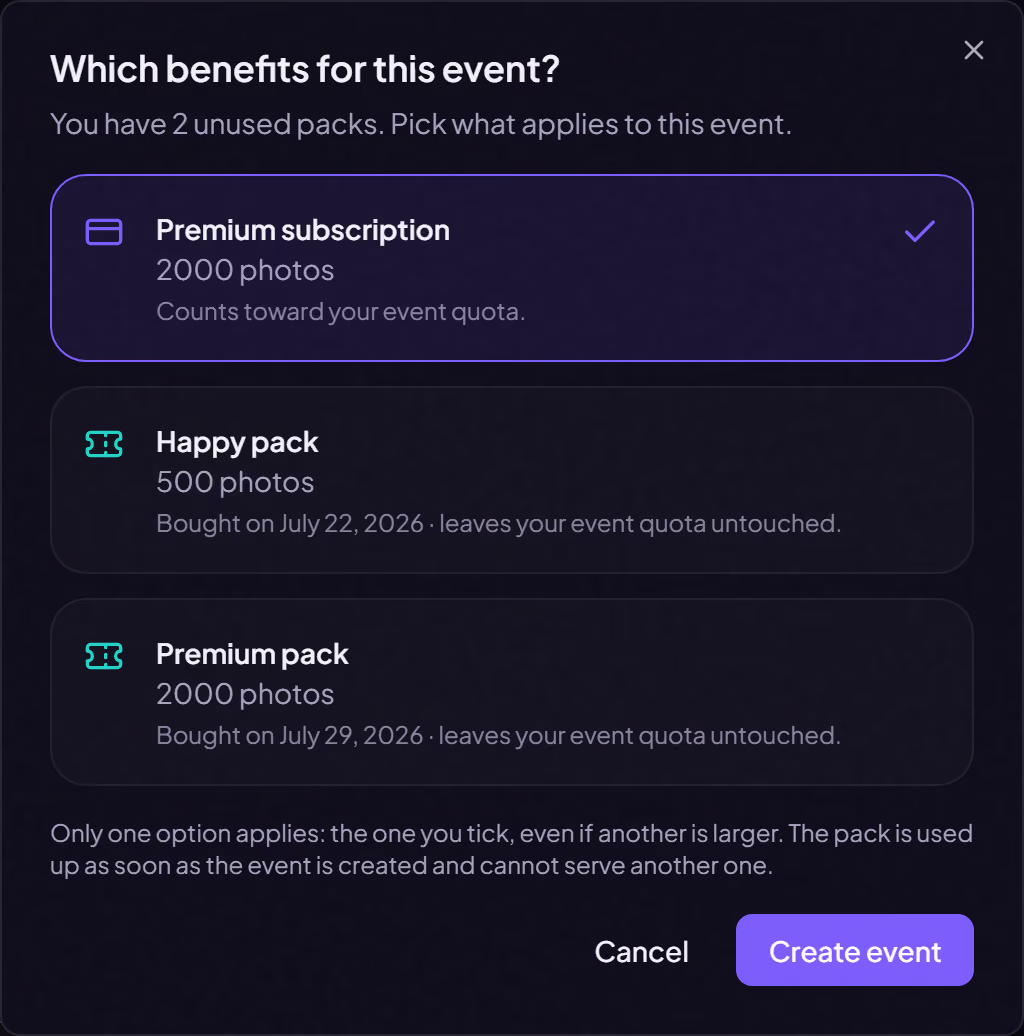
You can buy an event pack ahead of time without attaching it to anything yet. It waits in your account until the day you create the event that needs it. At that point, a window asks what should apply: your subscription, or one of your packs.
What your choice changes
- Your subscription: the event counts toward your event quota and keeps your plan's benefits.
- A pack: the pack's benefits apply, and the event leaves your event quota untouched.
The choice is exclusive. If the pack you tick gives less than your subscription, the pack still applies. The window shows each option's photo count before you confirm.
A pack serves one event only
As soon as the event is created, the pack is attached to it for good. Deleting or archiving the event does not release it, and it cannot move elsewhere.
With no pack in reserve, no window appears: your subscription applies, as before.
Where do I buy a pack ahead of time?
From the plan grid in your billing area. You pay once and it waits for you.
Can I change my mind after creating the event?
No, the choice happens at creation. You can, however, buy a pack for an event that already exists, from its own page: it then lifts that event's limits.
Still need help?
Reach out to us directly.